
HOMER Knowledge Base
Download resource data (solar, wind, temperature)
To download the resource data, first choose the location for your project on the home page in HOMER.
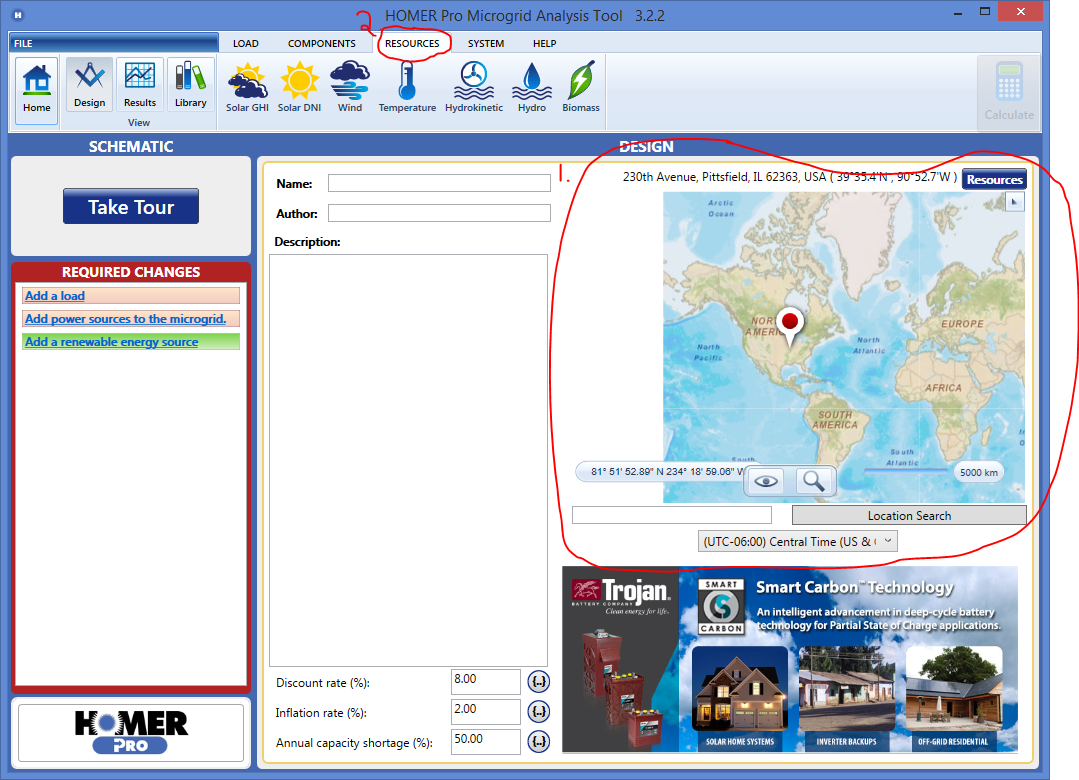
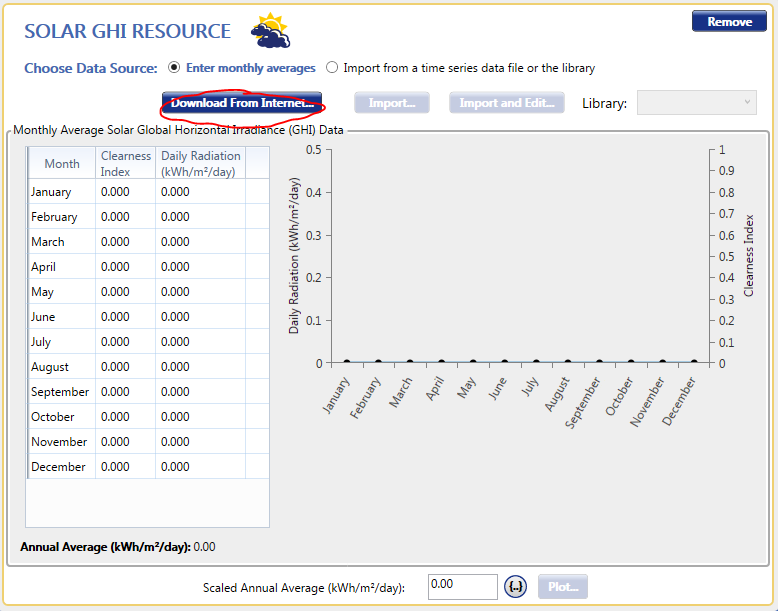
Then, go to the appropriate resource page, in the resources tab. You can download data for solar GHI for solar PV panels, wind for wind turbines, or temperature data for considering temperature effects on PV or wind turbines. Click the button "Download from Internet".
Choose the source of data and click ok.
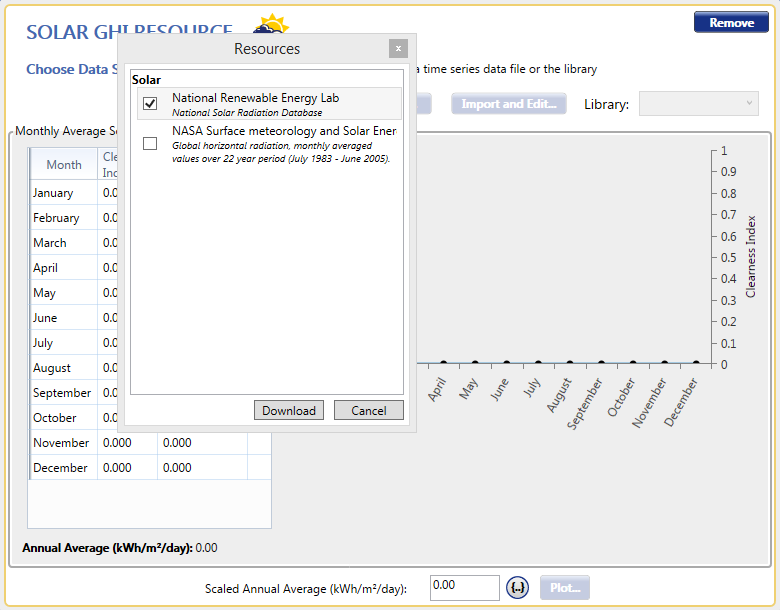
That's it -- HOMER will now use the downloaded data for your selected location when simulating your model.
You can also download several resources at once by clicking on the "Resources" button in the upper right of the home page and selecting the data source(s) you would like.