
HOMER Knowledge Base
Install error: "A DLL required for this install to complete could not be run"
I tried to install HOMER Pro, and saw this error message: "There is a problem with the Windows Installer package. A DLL required for this install to complete could not be run. Contact your support personell or package vendor." How do I fix this?
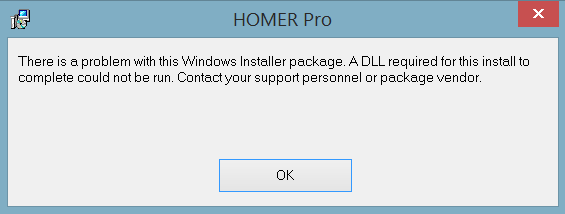
This error is probably related to how permissions are set up on your computer. Do the following:
1) Go to the Start menu, and locate the "Command Prompt". It could be in "Accessories" or "Windows System". Right-click on the Command Prompt icon and select "Run as administrator". If promted to allow changes, etc., click "yes".
2) Use the "cd" command to change to the directory where you downloaded the install file HomerPro-3.x.x.msi. On my computer, for example, I can type: "cd ..\..\Users\Jonathan\Downloads". You can also do one step at a time, i.e. "cd ..", enter; then "cd .." and enter again; then "cd Users", enter; and etc...
3) Once you are in the directory that contains HomerPro-3.x.x.msi, type the file name, i.e. "HomerPro-3.1.3.msi" and press enter. The installer will launch. Follow the rest of the installation steps normally.
It is also possible that your system's AntiVirus software can cause this error. If the above steps don't solve the problem, try disabling your AntiVirus temporarily, and run the installation. Don't forget to re-enable your virus checker after the installation is complete.
If none of these steps work, send us a message: http://support.homerenergy.com/index.php?/Tickets/Submit